
Manage Customers
Find your customers, give someone a card, and send them messages.
1See your customers
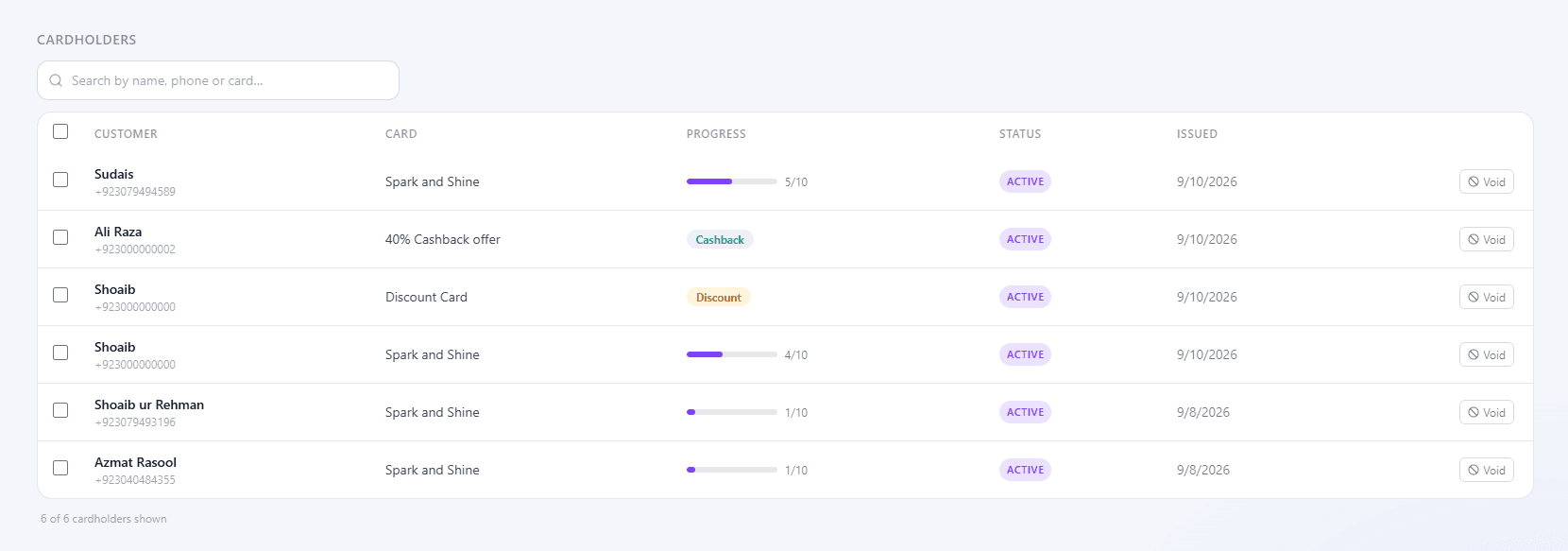
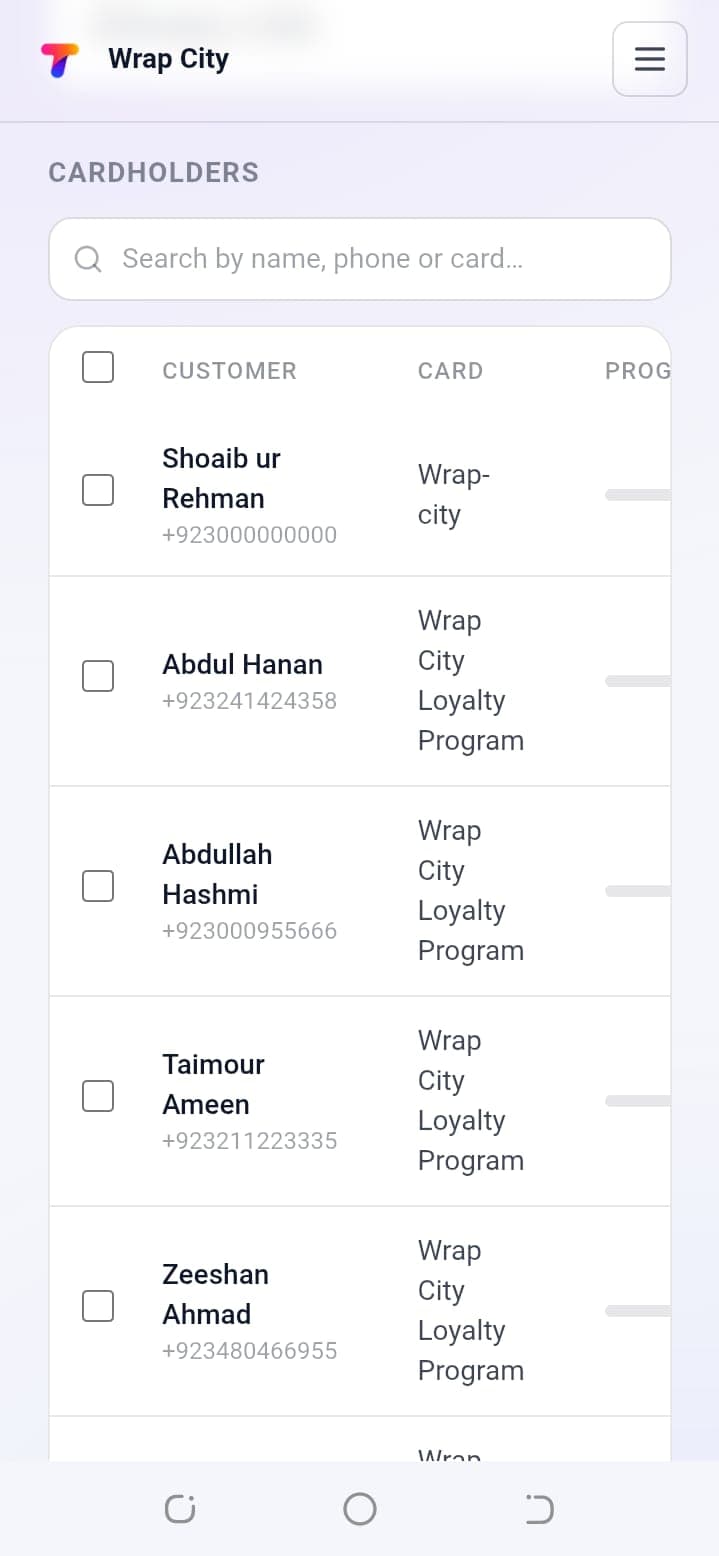
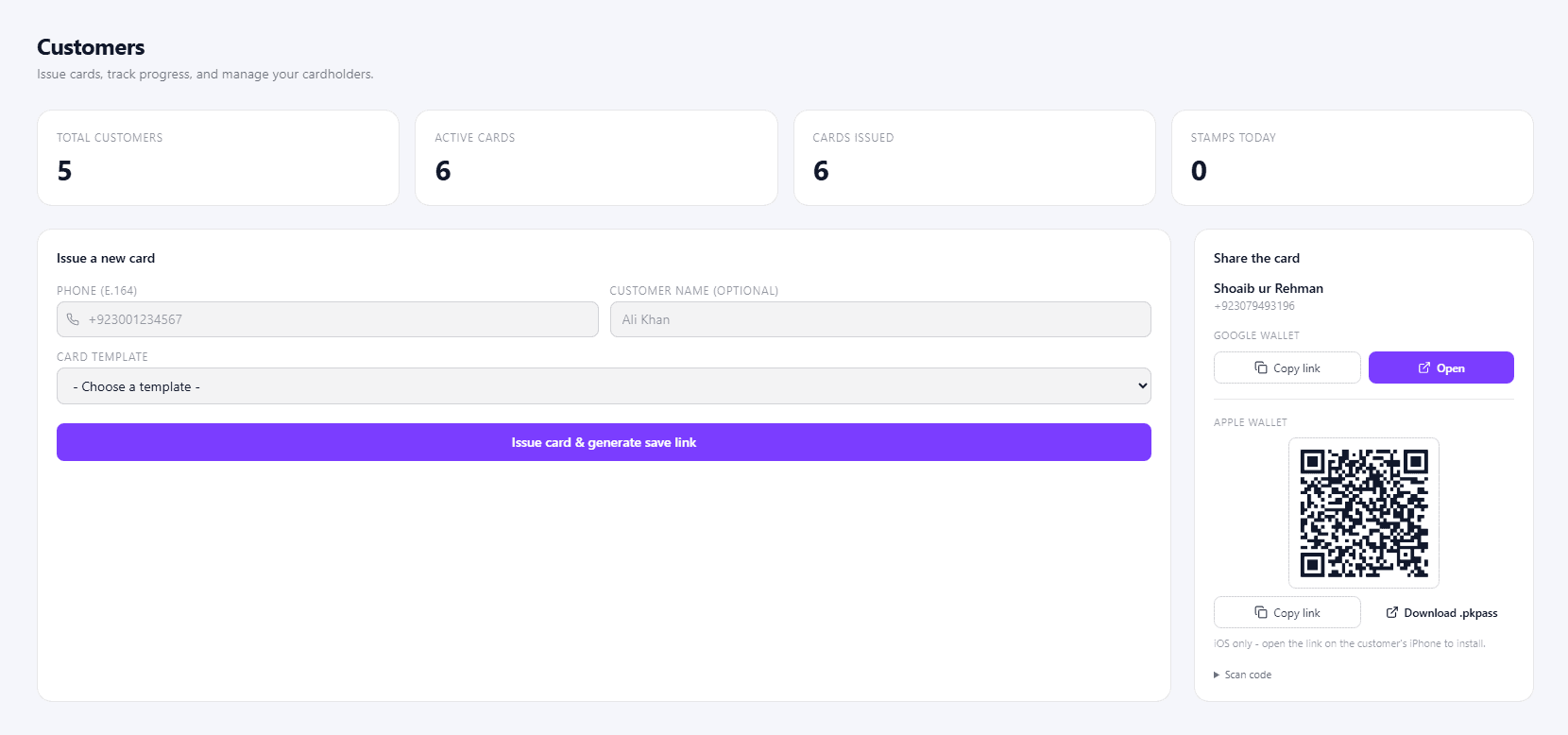
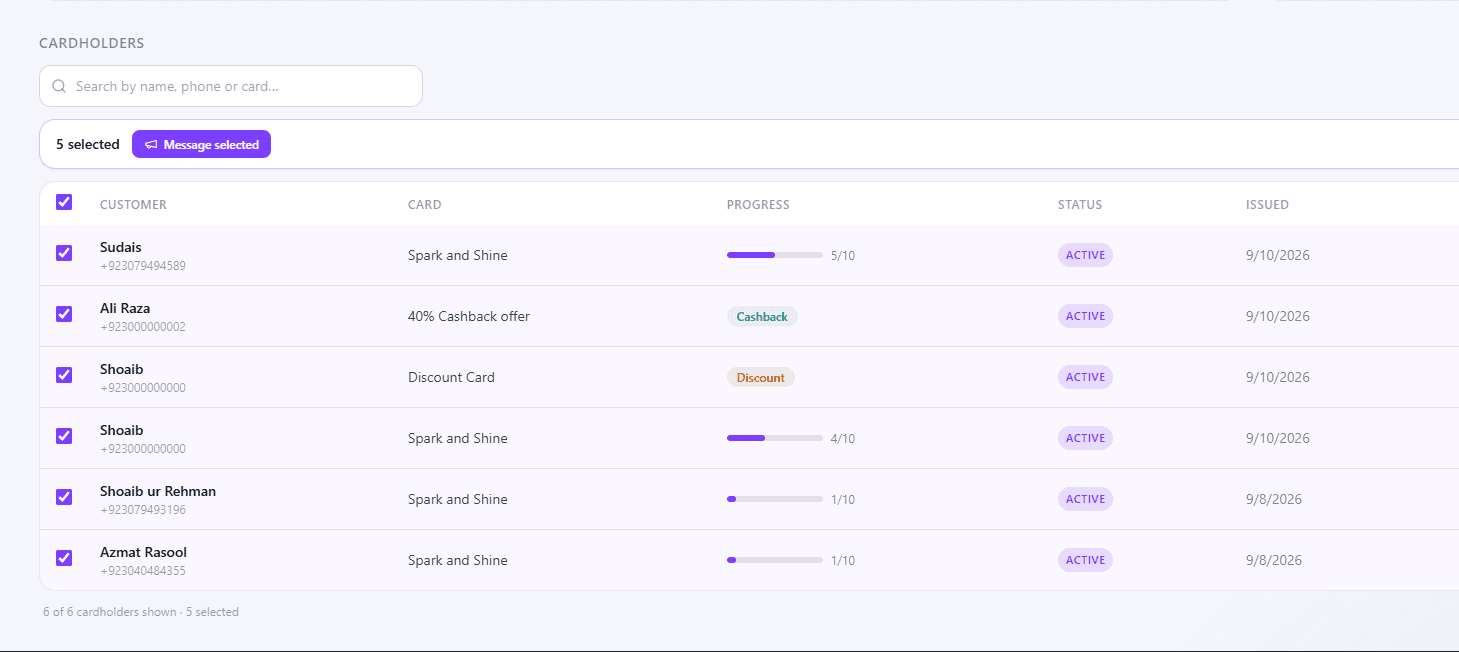
Open Customers. The top shows Total Customers, Active Cards, Cards Issued and Stamps Today. Below, Cardholders lists everyone with your card and their Progress - search by name, phone or card.
2Issue a card without the QR code
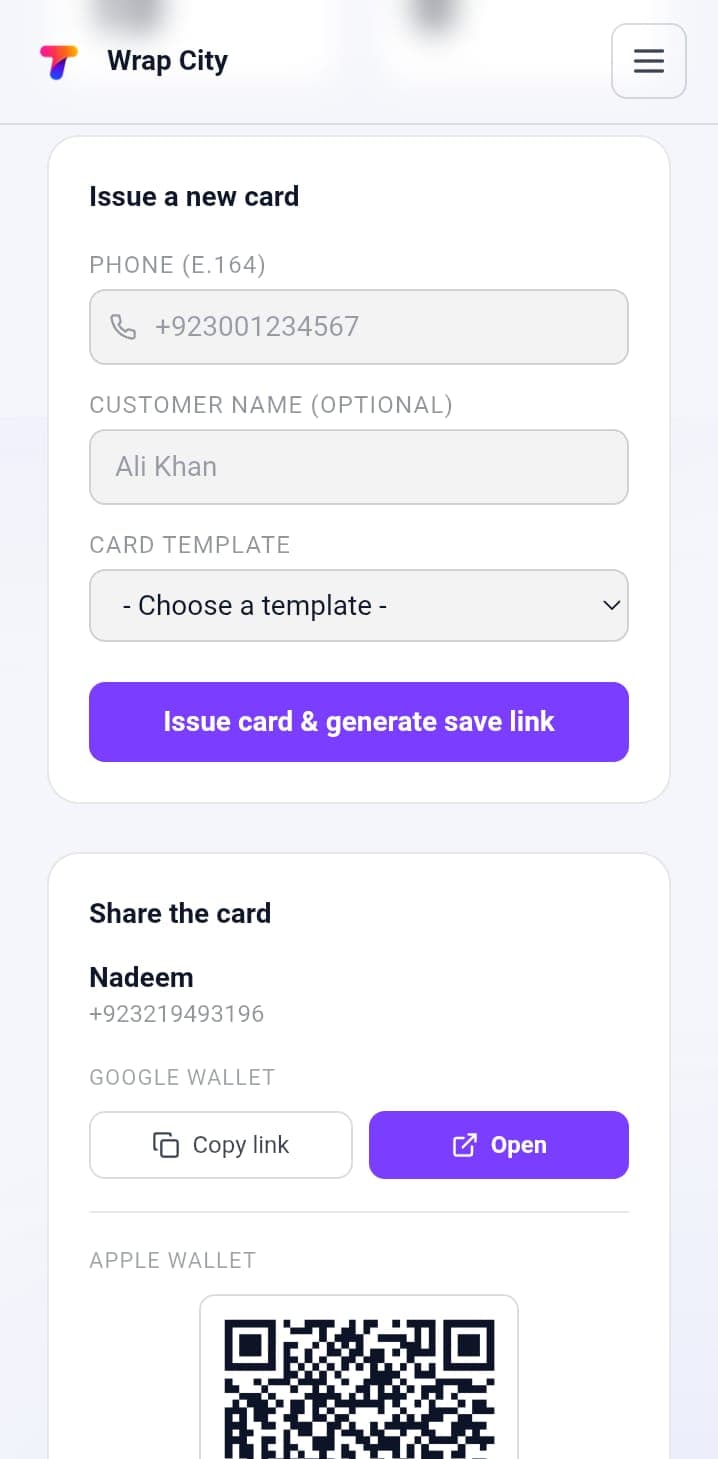
For customers who don't scan your QR code. Under Issue a new card:
- 1Enter their Phone
In international format, e.g.
+923001234567. Customer Name is optional. - 2Choose a Card Template
- 3Click Issue card & generate save link
Send the link to them on WhatsApp or SMS.
3Message your customers
Send a push notification to their wallet card - great for promos or "double stamps this weekend".
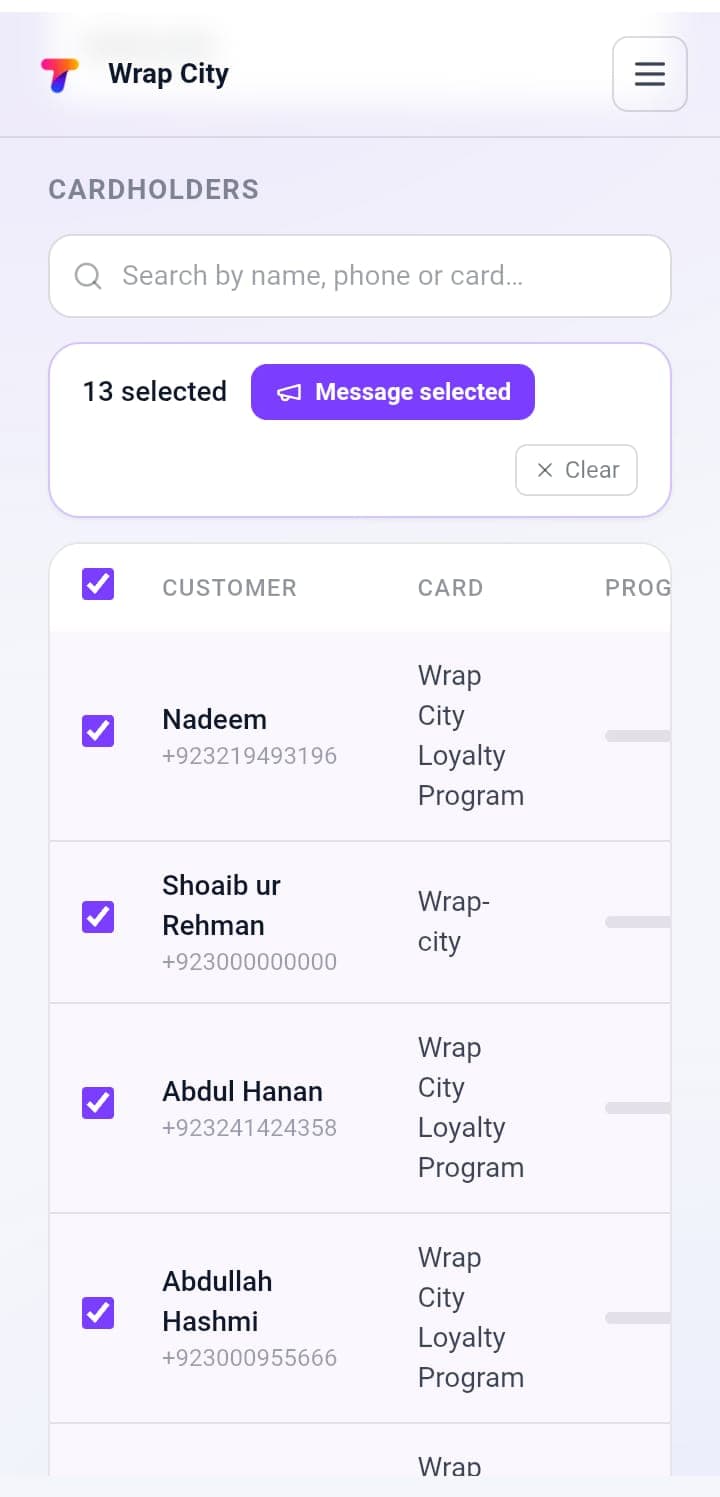
- 1Tick the customers you want
In Cardholders, then click Message selected.
- 2Add a Title and Message
- 3Click Send
e.g. Send to 1 customer.
To message everyone or one card's holders, open Notifications and choose the Audience. Only customers with an active card receive it. See Notifications.
What's next?
Keep customers coming back: Notifications.